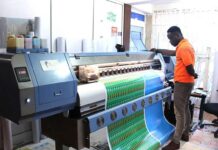
Pre-press design is now truly a comprehensive stage of the printing process that demands technical know-how, microscopic attention to detail, and the constant awareness of tempering the design to a printer’s capabilities. The more a designer can learn how to accommodate the printing process, whether traditional or digital, the more the designer will ensure producing a design that is not only compelling, pleasing, and commercially viable but is printable and profitable for all concerned.
Begin with the end in mind and understand the steps in between and your design will be successful.
BRAINSTORMING YOUR DESIGN
The first stage of a design job is to learn about the client, their goals, and their preferences. Some clients allow you to influence their look, but more often you are required to design within your client’s comfort zone. During this research phase, write down keywords that give you a feel for the company and its products.
THINKING AND THUMBNAILS
Take three words that reflect the company and try to generate designs that reflect those words. Next, grab a pencil and paper and sketch; generate as many idea sketches as possible. Start with logic in the research phase, and then let the creative side of your mind take over and shape the logic into innovative ideas.
Thumbnails should only be two inches or so tall –a quick little drawing made with a marker; stark black against the white of the page will give a better indication of how the design might look than with a pencil.
ROUGHS
After you have two or three pages of thumbnail sketches walk away. Take the three best ideas from your thumbnails and make more detailed drawings.
At this stage generate larger sketches. Keep them rough if you want an idea of where should invest your time. If you need to think about what fonts. Get feedback from other designers if you can, or from people who are not designers ask what they like what draws their eye, what bothers them, which they would rather view all day, and so on.
If you are making a book or a brochure, create a mock-up, and start folding paper to the exact sizes you may want to use. Create a sample and sketch ideas for the pages.
COMPREHENSIVE MOCK-UPS (COMPS)
Finally, you can jump onto your computer and generate refined ideas. You may want to just work on the strongest of your three rough ideas, or try out all three. Try all the subtle shifts in placement or color that make a design truly snap. Everything looks different on paper, so remember to print your ideas, starting in black and white. The colour quickly seduces and will interfere with the objective assessment of placement and design needed at this stage.
Color versions are appropriate for presenting comps at your second client meeting; the client may want to see the roughs too. The thumbnails will not be necessary. You can include photos from the Web or stock photos, but remember to build these into your cost estimate.
ORGANIZATION
As you begin to generate ideas, including images, text, and so on, set up a job folder on your computer desktop. Inside that folder, create one folder for images, and one for fonts; leave the layout within the job folder, but outside the internal folders. This is one way to insure that the layout file always links properly to images that are stored in the image folder.
Some designers keep just the current jobs on the desktop. Once pieces are published, they burn the job to a CD for archiving. Make sure that you burn both layers and final versions of the job in case you need to go back and make any changes.
EDITORIAL INPUT
Your client may love your idea, take them home show them around then change their mind and ask for a significant rework. Here is the human element in all its frustration and glory. Be patient.
The first stage of input is for major changes; a different image or symbol, a change in size or typeface, new colors, etc.
The second stage includes lesser changes (after you implement their major changes) a shift in headline placement, minor changes in wording, a switch in quotes, etc.
The third stage only allows for typo changes. If the client wants more changes than that let them know that they will be charged appropriately. People will often continue to make changes, so make sure to build in the cost at the front end.
If the client wants the color of the entire brochure shifted from blue to mauve just before you hand it to the printer, it is okay; but they should be charged because these changes are outside your initial contract. Put all these in writing and have them sign it before you start designing.
To be continued in the next edition